
Studio: design in your browser
Studio is the browser side of The Architect. You can design without starting Minecraft, look at the result in 3D and then send it to the game. Open it at app.thearchitectmod.com.
Sign in
Sign in with your email. You get a sign-in link, no password. Use the same account in the game and in Studio, so your plan or credits work in both. All plans and credit packs work in Studio.
Chat and preview
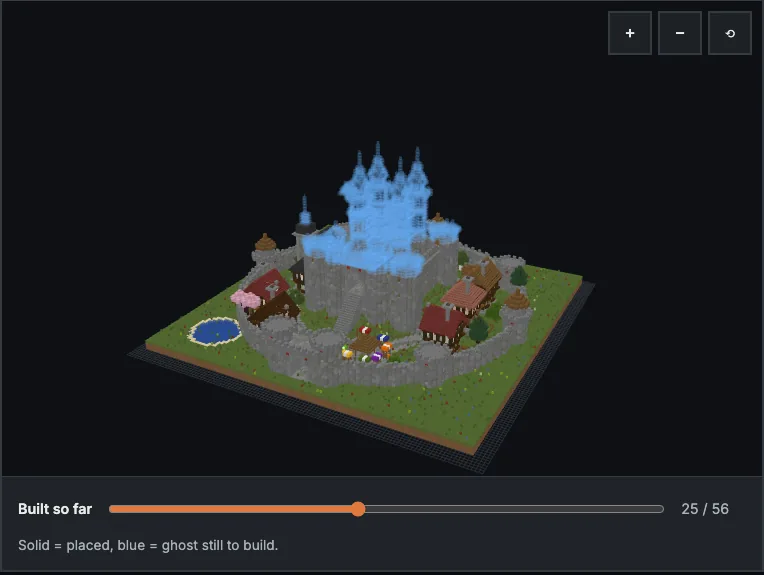
Describe a build as you would in the game. The result appears in a 3D preview that you can turn around, with a material list beside it. Studio keeps versions, so you can switch between them and compare. The first build guide has tips for writing good prompts, and they apply here too.
Send it to the game
To bring a Studio build into Minecraft, log in to the mod with the same account, then use the /studio command. It lists builds sent from Studio, and you can open one as a ghost. From there it is the same as any other ghost: follow the material list in survival (guide) or place it in creative.
If you use the game with your own key, note that this option works in the game only, not in Studio.
Download a schematic
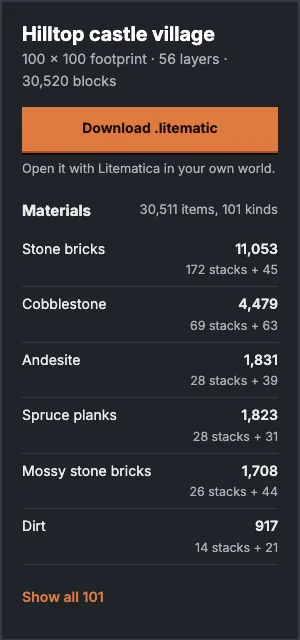
You can also download a build as a .litematic file and drop it in the schematics folder of your instance. Litematica loads it from its own menu. Our builds pages work the same way: each one has a downloadable schematic you can try without an account.
Link the game to your account
If the game asks to link, the mod shows a short code that you enter in Studio. The other way is the sign-in link by email.