
How to build a ghost schematic in survival
In survival, The Architect never places blocks for you. It shows the design as a ghost and gives you a list of what to gather. You do the building. This guide shows a way to work that keeps big builds manageable.
Get the material list
Type /materials in the Architect terminal to see every block the build needs, counted in stacks. The materials panel on the left of the terminal shows the same list and what is left to gather. Litematica has its own Material List and Verifier, and they work on the ghost too. If they look empty, the ghost is hidden: /ghost show turns it back on.
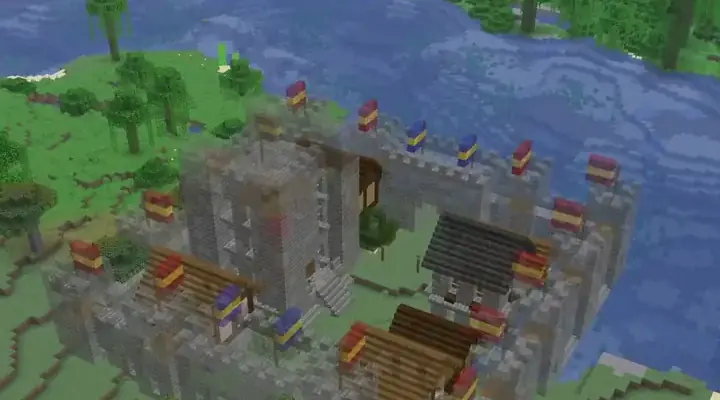
Look at the list before you commit. Large builds can need a lot of blocks. The Medieval Walled City lists 54 different blocks, and the Medieval Mountainside Castle lists 29,641 Stone because it is terraced into a slope. Each build page has its full material list so you can judge the effort first.
Gather in this order
- Start with the bulk blocks at the top of the list: stone, dirt, planks, logs.
- Craft the shaped blocks next: stairs, slabs, walls, fences.
- Collect the small decorative items last: lanterns, banners, flowers.
Bring more than the list says. A few extra stacks of the main block save trips.
Build layer by layer
Litematica can show only one layer of the ghost at a time, or a range of layers. Use it to work from the bottom up: foundation, floor, walls, then roof. Then you only see the blocks you need next.
For wide builds, walk the footprint first. Mark corners and the entrance with any cheap block. Then do the outer walls, because they decide the shape of everything else.
Check your work with the Verifier
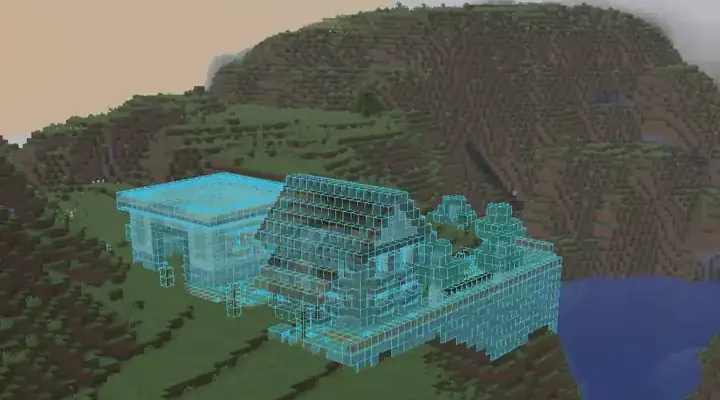
Open Litematica's Verifier. It compares your world to the ghost and highlights blocks that are missing or wrong. Run it after each layer and fix the red spots while they are still easy to reach. It also tells you if you used a different block than the design wanted.
If a part is too much work
Ask for a change instead of fighting the build: "make the keep smaller" or "swap the cobblestone for stone bricks". You get a new version of the ghost and a new material list. See edit and version your build.
Good to know
- You can save the shown version as a file with
/export. It saves a new.litematicfile inschematics/architect/and never overwrites anything. - Placing blocks directly is for creative only. On a server it also needs operator rights.
- Check any build before you start. The Architect can be wrong.