
Edit and version your build
A first design is rarely the last one. In The Architect you keep talking to the same build, and every change is saved as a new version.
Ask for a change
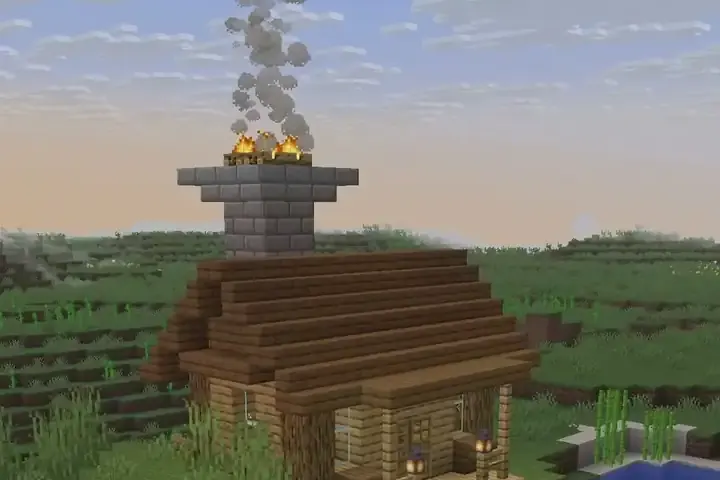
Describe what to change, in the same chat: "make the tower taller", "add a dock to the front porch" or "use dark oak for the roof". The Architect changes the build you have instead of starting over, then shows the new version as the ghost. You can see this in the Rustic Shore Cabin Edits, where the prompt extends an existing cabin with a wooden dock.
Be specific about the part and the change. "Make it nicer" is too vague. But "add a chimney on the east wall and a window on each side of the door" works well.
Go back and forward
Every change is a version. These commands move between them:
/versionslists the versions of the active build./undoshows the previous version./redoshows the next one./discarddrops a proposal and keeps the version you had placed (creative).
Because the old versions are kept, you can try a bold change and step back if you do not like it.

Work with more than one build
You can have several builds in the same dimension, for example a house and a barn. /builds lists them and /builds 2 makes build number 2 the active one. Commands such as /undo, /versions, /materials and /export act on the active build. /clear-build deletes a build and its ghost. The blocks already in the world stay, and /undo can bring the build back.
Hide, show and split
/ghost hideand/ghost showtoggle the ghost./partslists the parts of a build, such as a keep or a bridge, and lets you hide or show one with/parts hide <part>.
Creative mode and undo
In creative you can place the shown version as real blocks with /approve. Before it places anything, The Architect saves a snapshot of the area, and /undo restores it. This is for creative only.
Keep a copy
/export saves the shown version as a .litematic file in schematics/architect/. /export parts also saves one file per part. You can also download builds from the Studio.
Version changes cost usage like any other reply; see plans and credits.