BETA — The Architect is new and still improving. Things may change or break; tell us at [email protected].

Build helper · Minecraft Java

Describe it. See the ghost. Build it.

The Architect designs a building for your world and shows it as a ghost you can build.

  • Works on any server
  • Survival and creative
  • Ages 15+
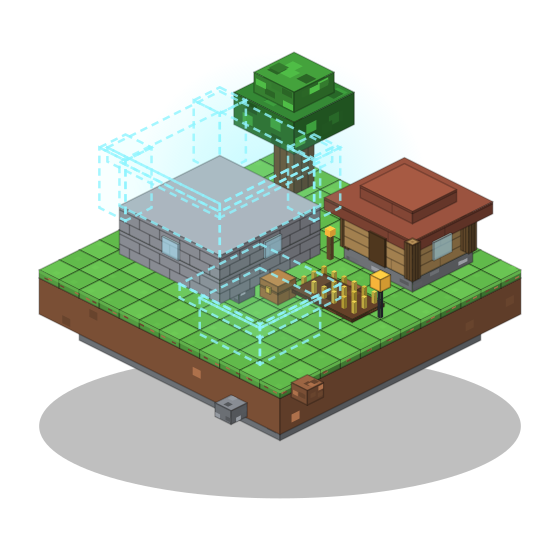
A floating island with a timber house, a wheat field and a tree, a stone keep half built with its upper floors shown as a cyan see-through ghost, and the next house waiting as a ghost outline.

Three steps from idea to house

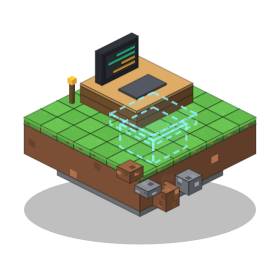
  1. A terminal on a desk with a chat typed in it, and the idea beside it as a cyan ghost outline of a house, on a small floating island.
    1

    Ask

    Press B in the game and describe what you want.

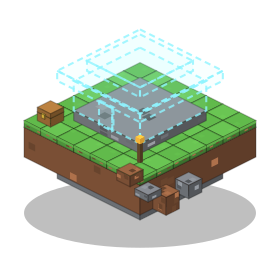
  2. A stone foundation already built on a floating island, with the house above it as a translucent cyan ghost outline.
    2

    See the ghost

    A see-through blueprint appears in your world.

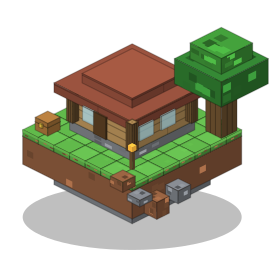
  3. The finished house on a floating island with a tree, a chest and a torch beside it.
    3

    Build it

    Follow the material list in survival, or place it in creative.

Made for how you play

  • Ghost

    See the build in your world before you place a block.

  • Materials

    An exact list of what to gather.

  • Versions

    Every change is saved. Go back any time.

  • Send from Studio

    Design in your browser, send it to the game.

  • Survival and creative

    Build by hand, or place it in one go.

Design in your browser

Chat, turn the build around in 3D, then send it to Minecraft.

  • 3D preview and material list
  • Versions you can switch between
  • Download as .litematic

Open Studio

Studio · Lake cottage

Make the roof steeper.

ArchitectDone. Version 3 is ready.

Mock-up

Get the mod

v0.3.2 Fabric · Release notes

Minecraft 1.21.11 (other versions: see “Other Minecraft versions” under the button)

Not sure which file to pick? Use the Complete pack.

Installing from CurseForge or Modrinth? Their apps add the required mods automatically and keep everything updated.

Recommended

Complete pack

Includes Fabric API, Litematica and MaLiLib in the right versions. Open it with the Modrinth App or Prism Launcher (the CurseForge app can't import .mrpack).

Includes

  • The Architect 0.3.2
  • Fabric API 0.141.6+1.21.11
  • Litematica 0.26.16
  • MaLiLib 0.27.20
Other Minecraft versions

Pick a version in the list at the top to see the SHA-256 of its files.

Install

  1. Open the Modrinth App or Prism.
  2. Import the file.
  3. Launch it, press B and sign in.

Release notes: 0.3.2

  • One-click sign-in: the browser login finishes without typing a code.
  • Copies made with the copy tool can be saved to your schematics folder after one permission question.
  • Map sidebar: mark up to 4 areas on the map for Claude to look at or build in.
  • A "+" button starts a new chat in one click.
  • "Place all builds from this reply" places every build from one answer in one go.
  • A reach warning tells you when a build is too far away to place from where you stand.
  • The sign-in card leads with "Sign in with browser" (Enter); the email link and code are under "Other ways:".
  • After a temporary refusal (the safety check or the server was busy) your message comes back with a [Retry] button.
  • One download per Minecraft version, 1.21 to 1.21.11 and 26.1 to 26.3.
  • Terrain handling improvements need no mod update; security fixes from 0.2.0 are included.

Client-side only. Nothing to install on the server.

How you pay

The mod is free. Building with Architect needs a plan, credits or your own AI key (in the game). Prices in US dollars.

Subscriptions

Usage resets every month. All models included. Fair use: 60 messages an hour, 400 a day.

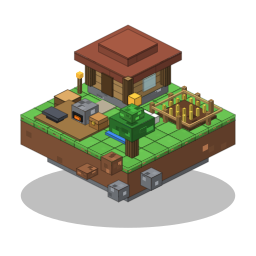
A small workshop island with a crafting area, a little farm and a house.

Settler

$7.99 / month

or $79.90 a year (2 months free)

  • For building now and then
  • No daily limit
  • Game and Studio
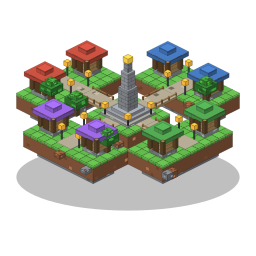
Best value Five floating islands joined by bridges around a central monument, one roof colour per district.

Architect

$29.99 / month

or $299.90 a year (2 months free)

  • For those who build too much
  • No daily limit
  • Priority
  • Game and Studio

Credits

No subscription needed. Credits are used after your month is spent, and they never expire.

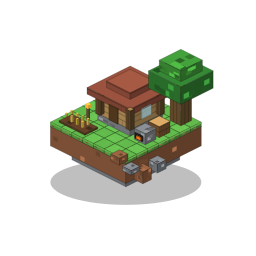
  • A dirt hut with a bed, a furnace and a few wheat rows on a small floating island.

    Starting Out With the Boys

    Day one. Dirt hut. Big plans.

    100 credits

    $5.99

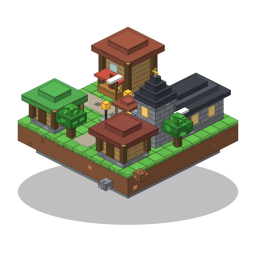
  • A two-storey stone brick house with a barn, a pen and a wheat field on a floating island.

    Week Two, Still Going

    The base is finally growing.

    300 credits

    Save 11%

    $15.99

  • A late-game base on a floating island: a stone brick and dark oak hall with a tower, a nether portal, an enchanting nook, a barn, a farm and an iron farm.

    Some Quit, Some Built Bigger

    The ones who stayed went huge.

    700 credits

    Save 16%

    $34.99

  • Best valueA grey stone knight castle with a moat, towers and a drawbridge on a floating island.

    Last Ones Standing, Mega Builds

    Everyone left. You didn't.

    1,000 credits

    Save 24%

    $44.99

Your own key Direct

Game only. You pay the AI provider directly.

  • Needs an AI provider account (18+)
  • Your key is never stored on our servers

Questions

How do I install it?

Import the complete pack in the Modrinth App or Prism Launcher, launch it, press B and sign in. If you manage your own mods, add the mod jar plus the Fabric API, Litematica and MaLiLib versions listed next to it.

Which launchers does it work with?

Any launcher that runs Fabric mods: the Modrinth App, Prism Launcher, CurseForge, or the official launcher with Fabric installed. Lunar Client and Badlion Client don't support it, because they don't let you add your own Fabric mods.

Do I need Litematica?

Yes. Litematica and MaLiLib draw the ghost in your world. The complete pack includes them in the right versions; the plain jar needs the exact versions listed next to the download.

Does it work on Aternos and other servers?

Yes. Everything runs on your own client, so nothing is installed on the server. It works in singleplayer, on Aternos and on other servers.

Is it free?

The mod is free to download. The AI is not free: you need a subscription (from $7.99 a month), credits (from $5.99) or your own key with an AI provider (game only).

Does it place blocks for me in survival?

No. In survival it shows the ghost and a material list, and you build it. Instant placement is for creative only.

Is The Architect an AI? Can it be wrong?

Yes, it is an AI. It can get a design wrong, like a size or a block choice, so look at the ghost before you build it. The material list is counted from the ghost's exact blocks, so it always matches.

Who can use it?

Players aged 15 and over with their own copy of Minecraft: Java Edition. Using your own Anthropic key needs an Anthropic account, which means 18+.

Can I use my own Anthropic key?

Yes, in the game only. You pay Anthropic directly. The key is sent over an encrypted connection, used for that session and never stored on our servers.

What does it send to the cloud?

Your messages, the part of the world needed for a design, and screenshots when you chat. Turn screenshots off with /screenshots off. Details are in the privacy policy.

How do I sign in?

With your email: we send a sign-in link, no password. To link the game, the mod shows a short code that you enter in Studio.

Ready to build?

Download the mod Open Studio