
Building on hills, slopes and water
Flat ground is rare. Most good building spots in Minecraft are slopes, hilltops and shores, and a build that ignores them ends up floating on one side or buried on the other. These tips work by hand, and they explain what The Architect does when it reads the terrain around you.
Find the lowest point first
Before you place anything, walk the footprint and find the lowest block. Foundations should reach down to it on every side. Filling a foundation with stone or dirt is cheap, and it removes the gap under the walls.
Terrace a slope
On a hill, cut the slope into steps instead of one big platform. The Medieval Mountainside Castle uses stone retaining walls and stairs between terraces, and the Dwarven Mountain City does the same up a rock face. Each terrace is flat inside and the walls hide the height change.
Build out over water
Docks and piers stand on posts. Place the posts first, down to the bottom, then lay the deck on top. The Medieval Harbor Town has a stone quay with two wooden piers over the inlet, and the Nordic Viking Harbor has three long piers with ships moored at them. Check each build's material list before you gather, because shore builds need extra fill.
Let the ghost show the fit
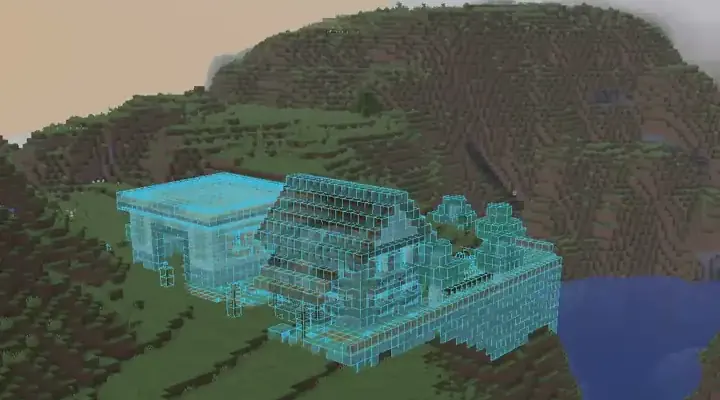
The Architect reads the terrain where you stand and shows the design as a ghost. Walk around it and look at the edges: is the ghost cutting into a hill or hanging over a drop? Ask for a change such as "lower the foundation on the water side". See edit and version your build.
If you want it floating
Floating islands and sky harbors are the exception. Say so in the prompt, because it changes the plan, as in the Fantasy Floating Island Cottage.
Ready to try? Get the mod, then read how to write a build prompt.